n8n Workflows
- Automate real estate transaction setup in Google Sheets with Google Drive folders (JSON Direct Link | n8n template link)
Resources
Video
Video Summary
Real Estate Customer Portal Walkthrough
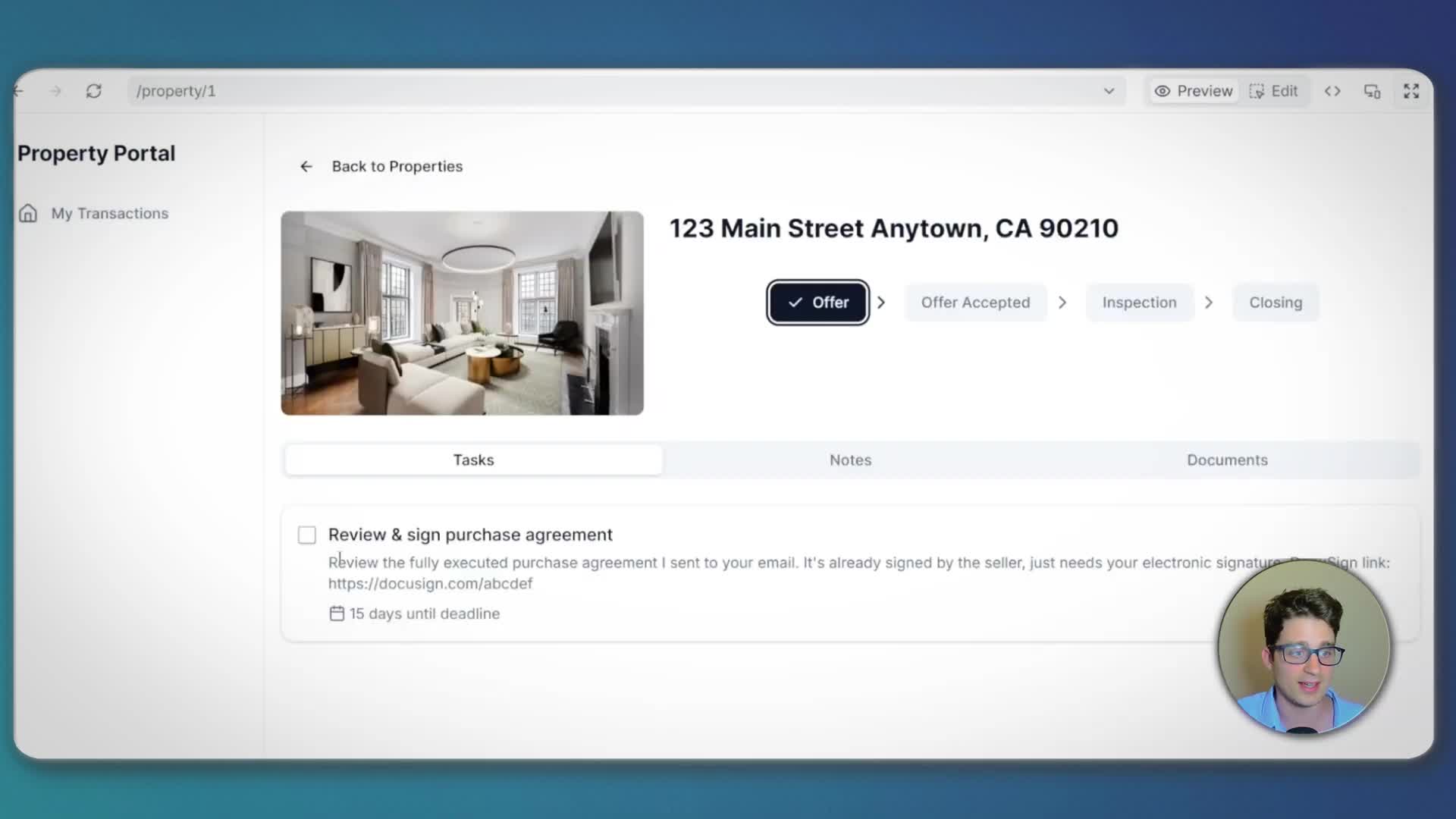
Imagine replacing disorganized email threads with a streamlined client portal. Your buyer can log in, view their ongoing property transactions, and see the current status at a glance. They can find and complete tasks, mark them as done, add notes for communication, and review past correspondence. The portal also provides a direct link to a shared document folder, for example in Google Drive, keeping everything organized and accessible.
Structuring Your Real Estate Data in a Spreadsheet
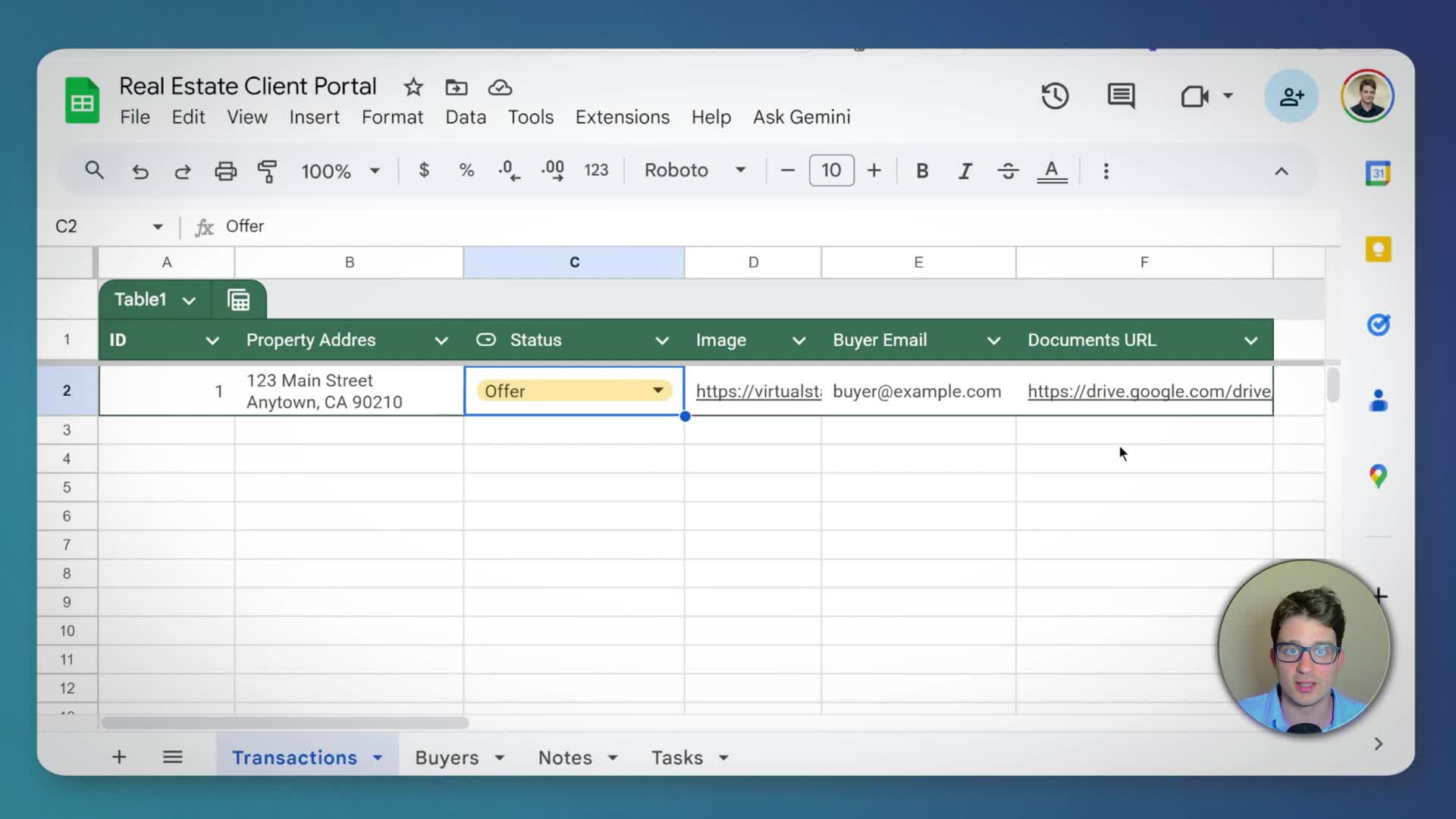
To get started, all you need is your data organized in a spreadsheet. For this example, we use Google Sheets with a simple structure. The spreadsheet has several tabs:
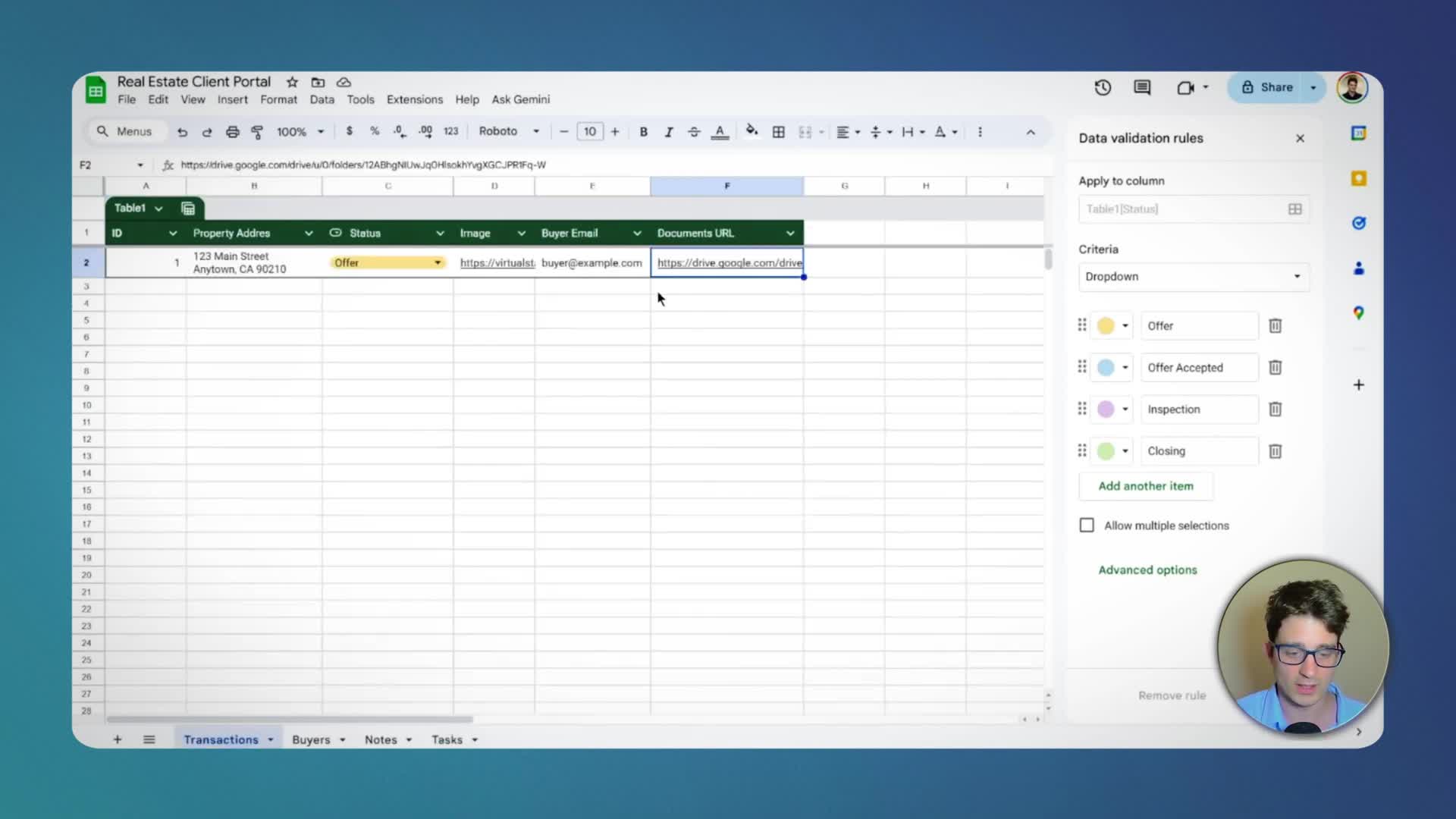
Transactions: Contains information about each property, including address, status (e.g., Offer, Offer Accepted), an image, the buyer’s email, and a URL for documents.
Buyers: A simple list of buyers with their contact information.
* Notes & Tasks: These tabs are linked to specific transactions using a ‘Transaction ID’. This allows the system to know which notes and tasks belong to which property.
Using Zite to Build the Client Portal
For this build, we’ll use Zite by Fillout, an AI-powered app builder. Zite’s strength is its ability to connect directly to existing data sources like Google Sheets or Airtable. After connecting your Google Sheets account and selecting the spreadsheet, Zite’s AI analyzes the data structure.
Next, you provide a detailed prompt describing the app you want to build. It’s important to be specific. For example, instruct the AI to use Google Sheets as the backend, define the views (a card list for properties and a detail view), specify what information to show on each card, and outline user permissions (e.g., users can add notes and change task statuses, but the rest is read-only). The more detailed the prompt, the better the initial result will be.
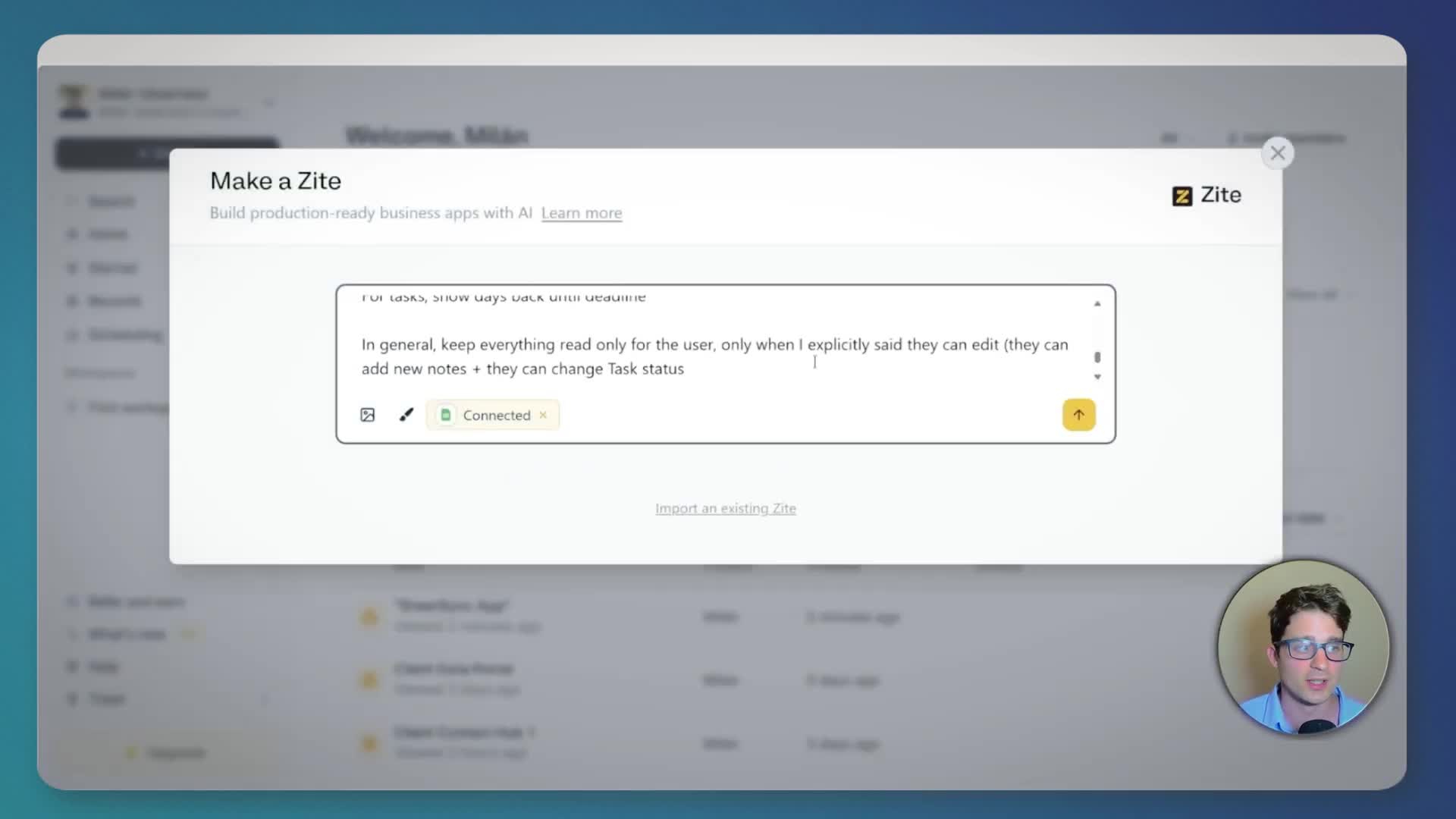
Once you submit the prompt, Zite’s AI will generate the application. You can then preview the result and use the chat-like interface to request further changes, such as adding a navigation menu or linking to the document folder.
Automating Backend Tasks with n8n
While the portal is user-friendly, some backend tasks remain manual. We can automate these using a tool like n8n (alternatives include Make or Zapier). Our goal is to create a workflow that triggers when a new transaction is added to the spreadsheet. This automation will:
1. Create a dedicated Google Drive folder for the new transaction and share it with the client.
2. Add an initial task to the portal, such as ‘Upload documents’.
The workflow starts with a Google Sheets trigger that watches for new or updated rows. A filter ensures the automation only runs for new transactions that don’t already have a document folder. Subsequent steps create the folder in Google Drive, update the spreadsheet with the new folder URL, and finally, append a new row to the ‘Tasks’ sheet to create the initial task for that transaction.
Limitations of 'Vibe Coding' with AI
Building apps with AI, or ‘vibe coding’, has some limitations to consider:
Not Truly No-Code: Under the hood, the AI is writing code. This means the system is a ‘black box’. If something breaks, you can’t easily debug it without looking at the generated code, which can defeat the purpose of a no-code approach.
Unexpected Issues: Because it’s a black box, unexpected behaviors or issues can arise that are difficult to diagnose or fix using just the AI prompt interface.
* Data Security: Securing your data can be challenging. It’s hard to be 100% certain about user permissions and data access without being able to manually inspect every workflow and logic path, which is difficult in an AI-generated system.

Alternative: Using Softr for a Client Portal
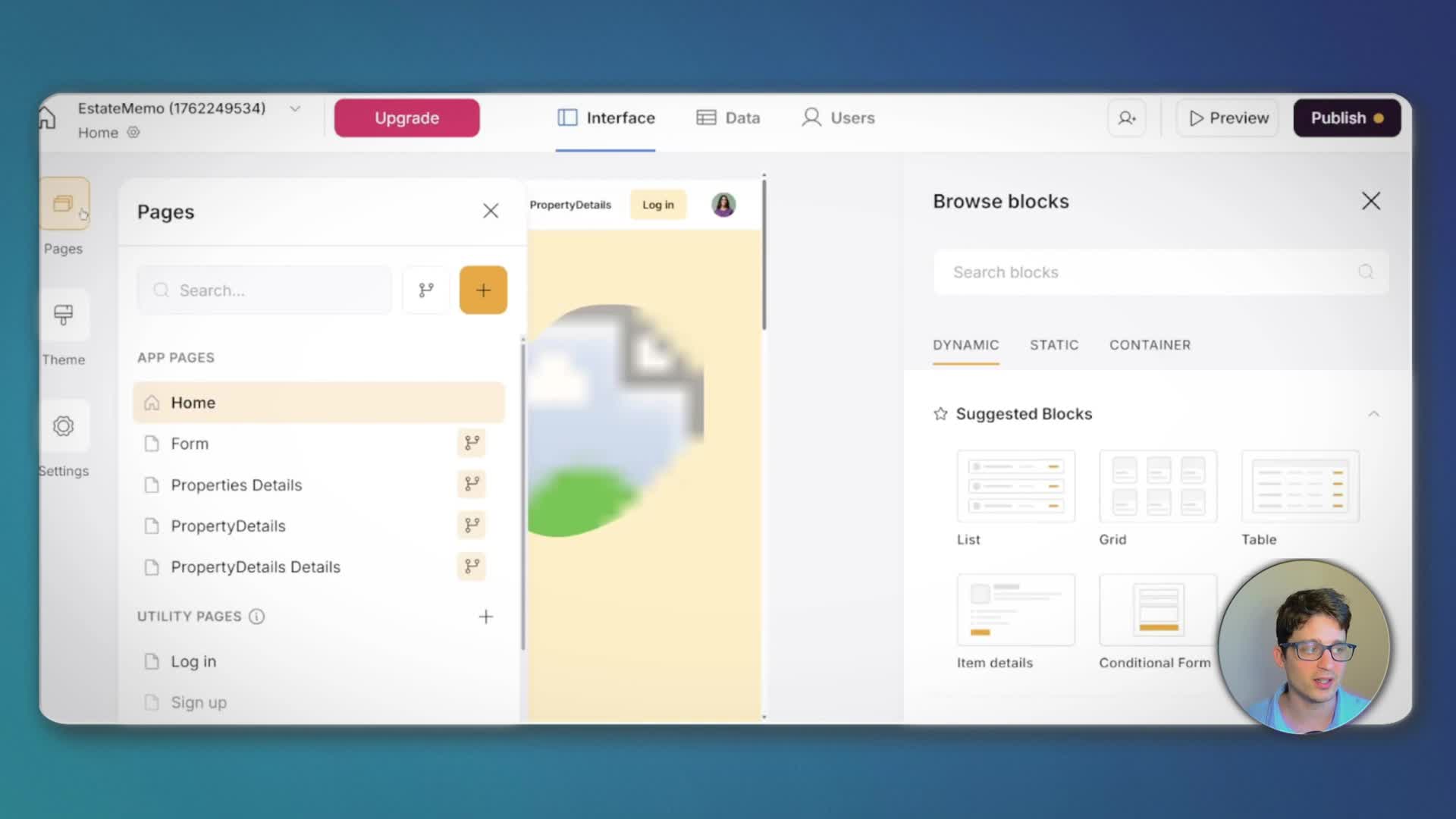
As a comparison, a tool like Softr offers a more traditional no-code building experience. While Softr’s AI can also generate an initial app from a prompt, the result is often less tailored and requires more manual configuration. You have to manually set up pages, connect data sources to blocks, configure fields, and define actions. However, this manual approach provides a significant benefit: you know exactly how everything works. This transparency makes the application more robust, stable, and less prone to unexpected behaviors, giving you full control over the logic and security.
Conclusion: Which is the Best Tool?
In conclusion, Zite is an excellent tool for rapidly building a first prototype of a portal or for creating apps for less critical workflows with non-sensitive data. Its speed and ease of use are its biggest strengths. For something more robust, stable, and secure, a more traditional no-code tool like Softr is a better choice. It requires a larger time investment upfront but provides greater control and predictability in the long run.